A control room for AI coding agents · v0.32.0
QuarterDeck
QuarterDeck is a free desktop application for seeing the AI coding agents running on your computer, starting your own tasks and bringing different models together around one question. It brings work from Claude Code, Codex, Gemini CLI and Antigravity together with resource usage and the decisions waiting for you.
Use the plans you already have
Use signed-in Claude Code, Codex CLI, Gemini CLI or Antigravity CLI through your existing provider plans. This route uses the relevant subscription quota rather than a separate API key; plan limits and provider terms still apply. API connections and local models such as Ollama remain optional alternatives, with API usage billed separately by the provider.
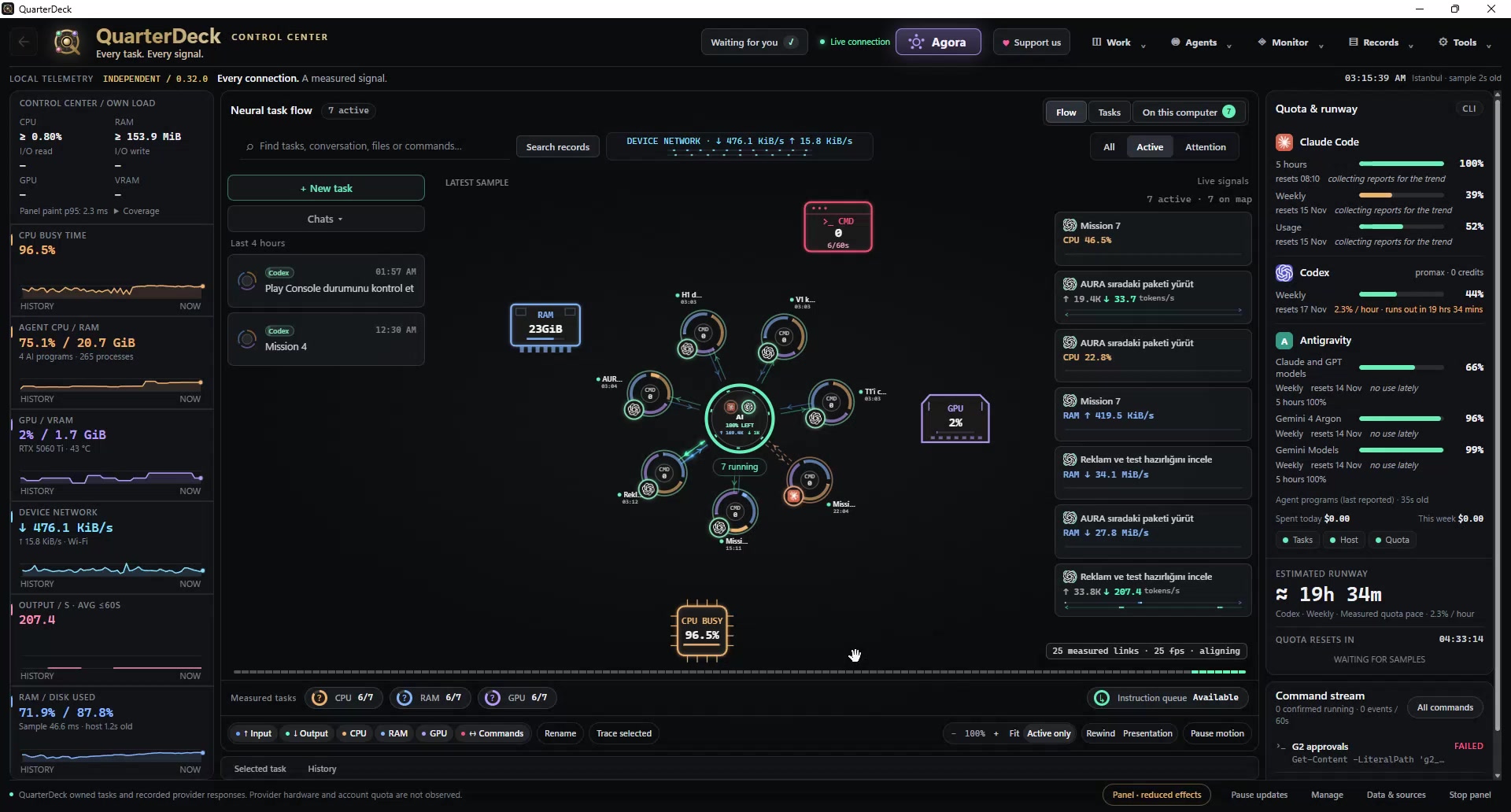
All your work on one live map
- Follow QuarterDeck tasks alongside the work of supported agents on your computer.
- See measurable CPU, memory, GPU, VRAM and token flow by task, plus disk and network activity across the computer. Unavailable measurements appear as a dash, not an estimate.
- Track remaining quota, usage rate and reset times for supported plans.
- Find approvals, questions and completed work that needs your attention in one place.
Steer your own tasks
Choose a project folder, a goal, a connection and an exact model. Use OpenAI, Anthropic, Gemini, compatible endpoints such as Ollama and LM Studio, or agent tools already signed in on your computer. Models are not switched automatically.
- Approval controls before files are written or commands are run.
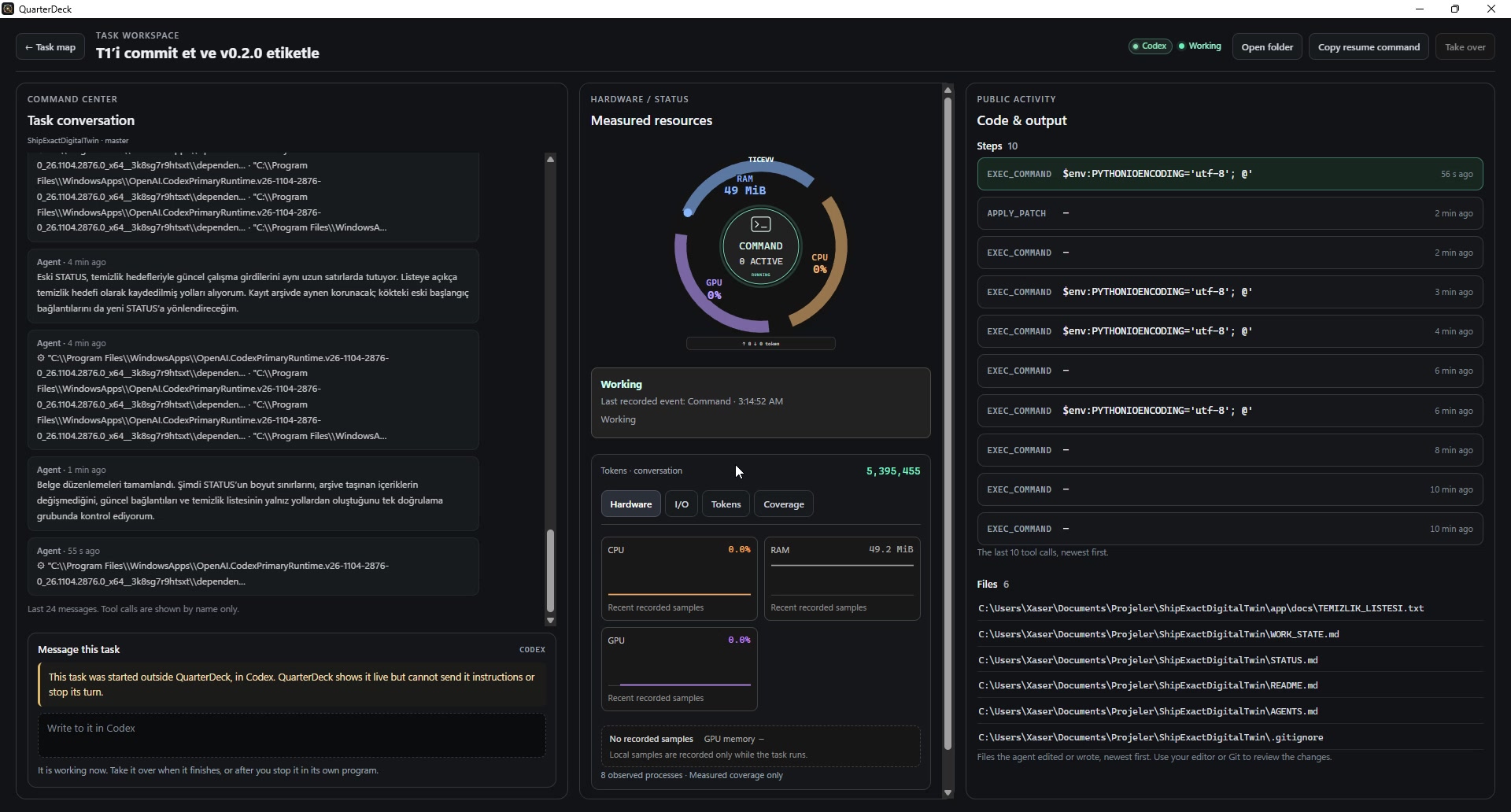
- Image, PDF and text attachments, with conversation, code and output side by side.
- Take over supported Claude Code and Codex conversations.
- Separate Git working copies, a diff review before merging, conversation branches and scheduled tasks.
Agora: several models at one table
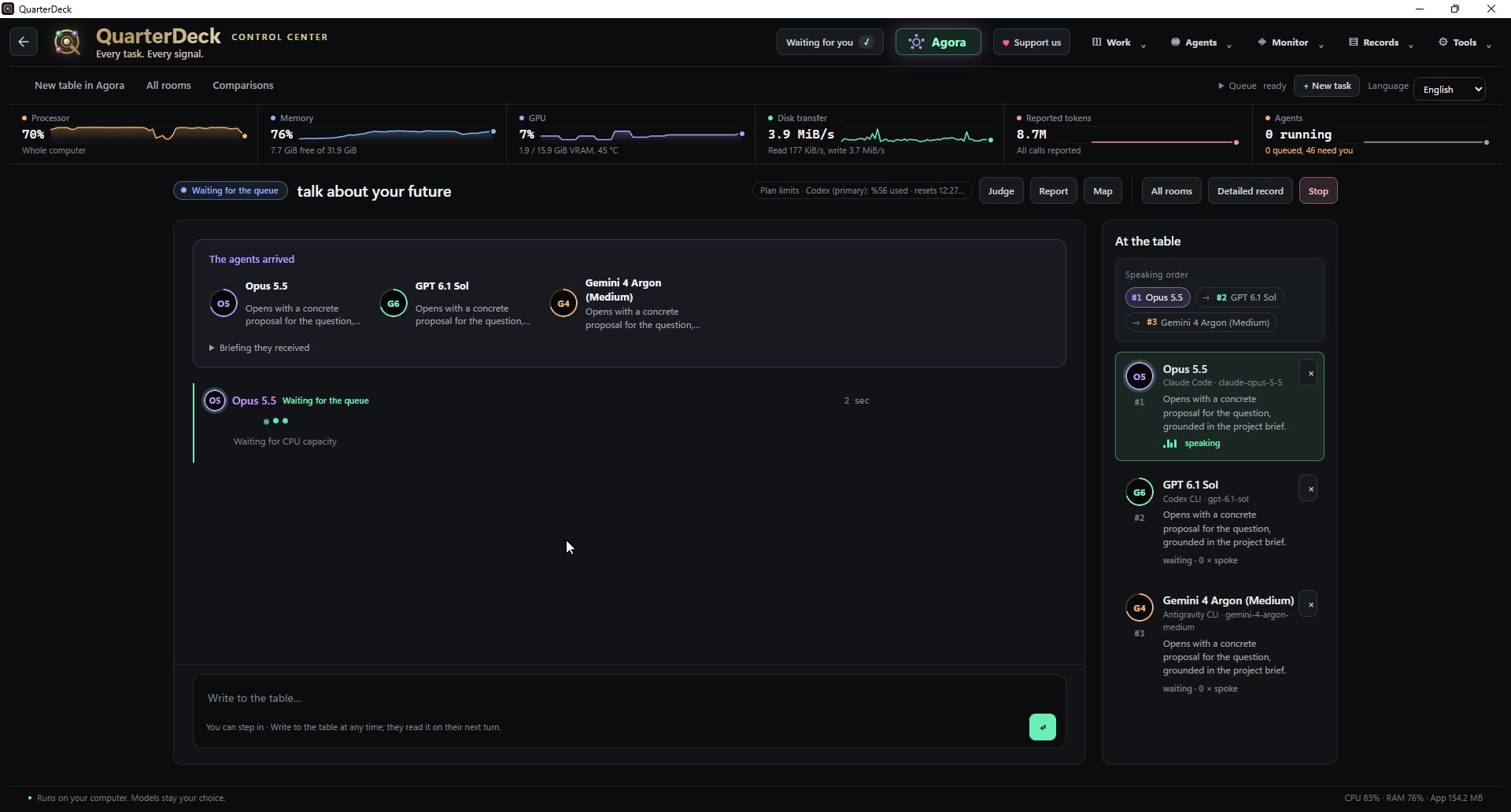
Discuss an idea with different models, join the conversation and turn the conclusion into a task. Open floor is free for everyone. Each model follows the shared discussion while keeping its own conversation. Assign roles, inspect evidence and develop the conclusion together.
Local work, visible control
Tasks, conversations and settings stay on your computer. When you start work, your request and the project files the agent needs go to your chosen AI provider under its privacy terms. QuarterDeck has no account, ads or telemetry. Automatic network use can include update checks, quota and model lists, and a public price list; these can be turned off in Preferences. Updates are not installed automatically. The phone view opens only when enabled and is limited to your local network.
- MCP approval and trust controls by call, server or tool.
- Find and release helper processes left behind by AI applications.
- Token auditing, recorded history, checkpoints and file recovery.
- A read-only phone view over local Wi-Fi, with approval and denial controls.
- Presentation mode hides names, folders and conversations when sharing your screen.
- Ten interface languages, including Turkish, plus light and dark themes.
Availability and installation
Version 0.32.0 is available for Windows, macOS and Linux. Choose the package for your system on the official release page.
- Windows: 64-bit Windows 10 (22H2) or Windows 11. Choose Setup or the portable ZIP. Setup does not need administrator rights. Unblock the ZIP before extracting it into an empty folder. Microsoft Edge WebView2 is required.
- macOS: macOS 14 or later on Apple silicon (M1 or later). Open the DMG and move QuarterDeck to Applications. Intel Macs are not listed for this release.
- Linux: the AMD64 DEB targets Ubuntu 22.04+, Debian 12+ and other Debian-based systems. The x86_64 AppImage needs GTK 3 and WebKitGTK 4.1; make it executable before running it.
Known limits
- You need a signed-in supported agent tool or a model provider API key. Provider usage is subject to the provider’s own pricing and terms.
- Windows binaries are unsigned and the macOS app is not notarized. Verify downloads against the release’s current SHA-256 values and follow its platform-specific first-launch instructions.
- The Claude app’s messages and tokens are not visible; only commands it runs on the computer can be observed. Codex tokens are shown as a total.
- Proxy auto-configuration (PAC) files are not supported; a fixed proxy can be used.
- On macOS, and Linux without a systemd user session, task limits rely on process-group monitoring. Fully detached processes can escape that monitoring.
- Without Linux Secret Service, saved API keys use an account-readable key file, which offers weaker protection than an operating-system key store.
Screenshots
An independent project, not an official product of the model providers named here.
Download, explore and follow
Find current packages, installation instructions, release notes and file checksums on GitHub. This repository contains releases, not source code.
Original Work Record
- Work
- QuarterDeck · English project introduction
- Author
- yönetici
- Recorded (UTC)
- 2026-11-15T04:52:27.016Z
- Version
- 5
- SHA-256
- ef2cc6eba56fd1bd294085fc3c7f8a1ffd5003632dc706e04474c425b5212b1a
Credit the author and source when quoting or using this work.
Image records in this work
QuarterDeck · user-provided demo capture
- Author
- yönetici
- Recorded (UTC)
- 2026-11-11T00:40:40.024Z
- Version
- 1
- SHA-256
- 2ec11d8bad4d8aada5cc4a08bbfd5b82d8b06bc4df4ffade686ee25121a0c2c6
QuarterDeck · user-provided demo capture
- Author
- yönetici
- Recorded (UTC)
- 2026-11-11T00:40:41.367Z
- Version
- 1
- SHA-256
- 14e3938bdf20987060f71abfee0d52a65b9fc9b088c74fa261df48201559a933
QuarterDeck · user-provided demo capture
- Author
- yönetici
- Recorded (UTC)
- 2026-11-11T00:40:40.485Z
- Version
- 1
- SHA-256
- df6327987cad9081284e0cec69705400bc18bd6892d251091e6cf85b5f29d84f